

Building a local viewer for Claude Code sessions
A local session viewer turns Claude Code JSONL logs into checkpoints, tool-call groups, token counts, and side-by-side comparisons.
| Resource | Link |
|---|---|
| Implementation | ravikanchikare/cc-session-viewer |
| Package | cc-session-viewer |
| Stack | React 18 · Vite 6 · Express 4 · Node.js 18+ |
Raw logs hide the unit of work
Claude Code writes conversation logs as JSONL under ~/.claude/projects/. Those files preserve user turns, assistant messages, tool calls, token usage, and session metadata, but the raw format makes a single turn difficult to inspect.
The useful unit is a checkpoint: one user prompt and the recorded agent activity that follows it. cc-session-viewer converts each checkpoint into a row that can be expanded, compared, copied, or used as a rewind target.
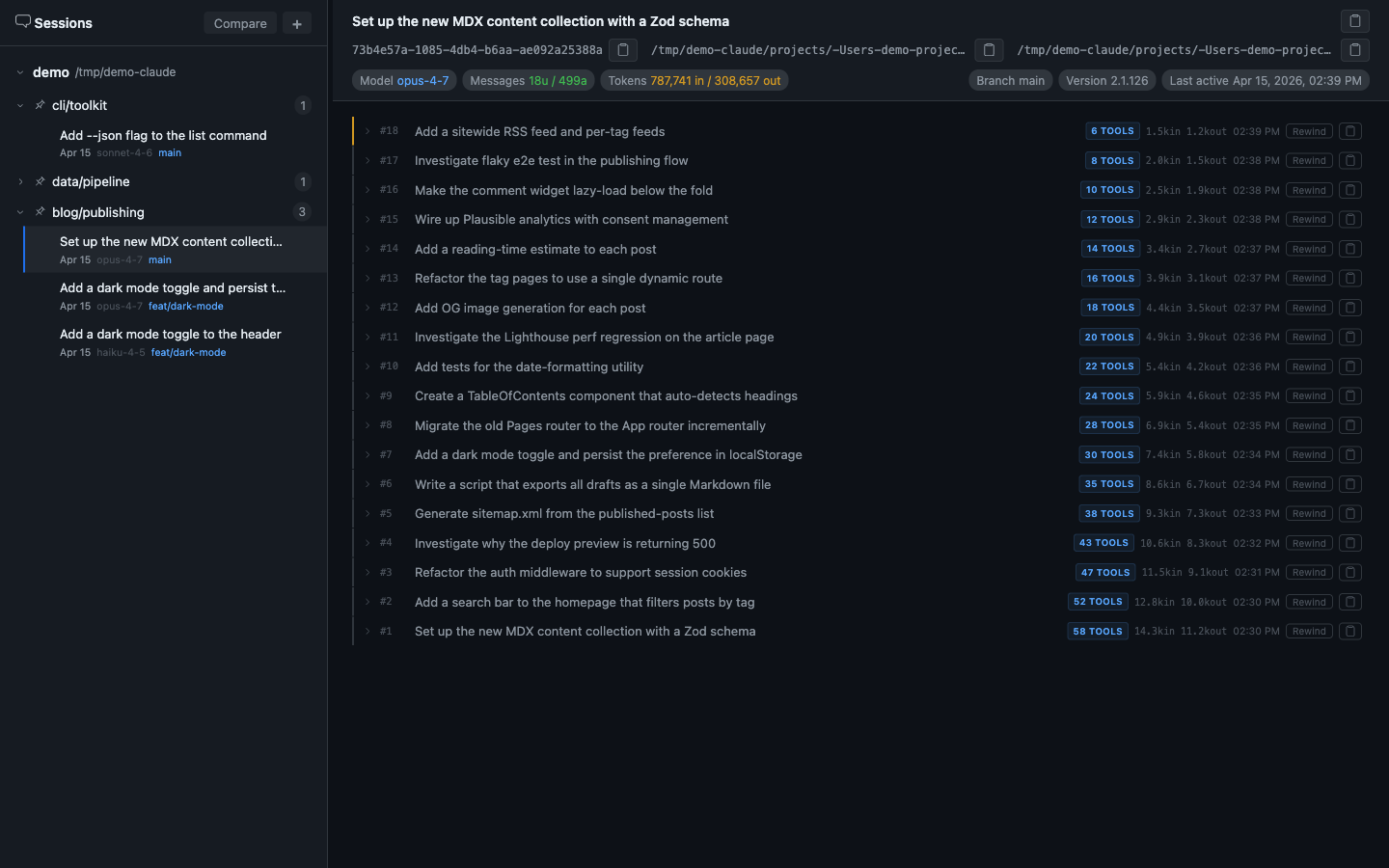
The seeded demonstration above contains 18 checkpoints and displays 787,741 input tokens and 308,657 output tokens. Those figures describe the fixture shown in the interface, not a measured baseline for Claude Code sessions.
Run the viewer locally
The package starts an Express server and opens the React interface at http://localhost:3333. It auto-detects ~/.claude; the session files stay on the local machine.
npx cc-session-viewer

# Choose a different port when 3333 is occupied.
npx cc-session-viewer --port 4000Make checkpoints navigable
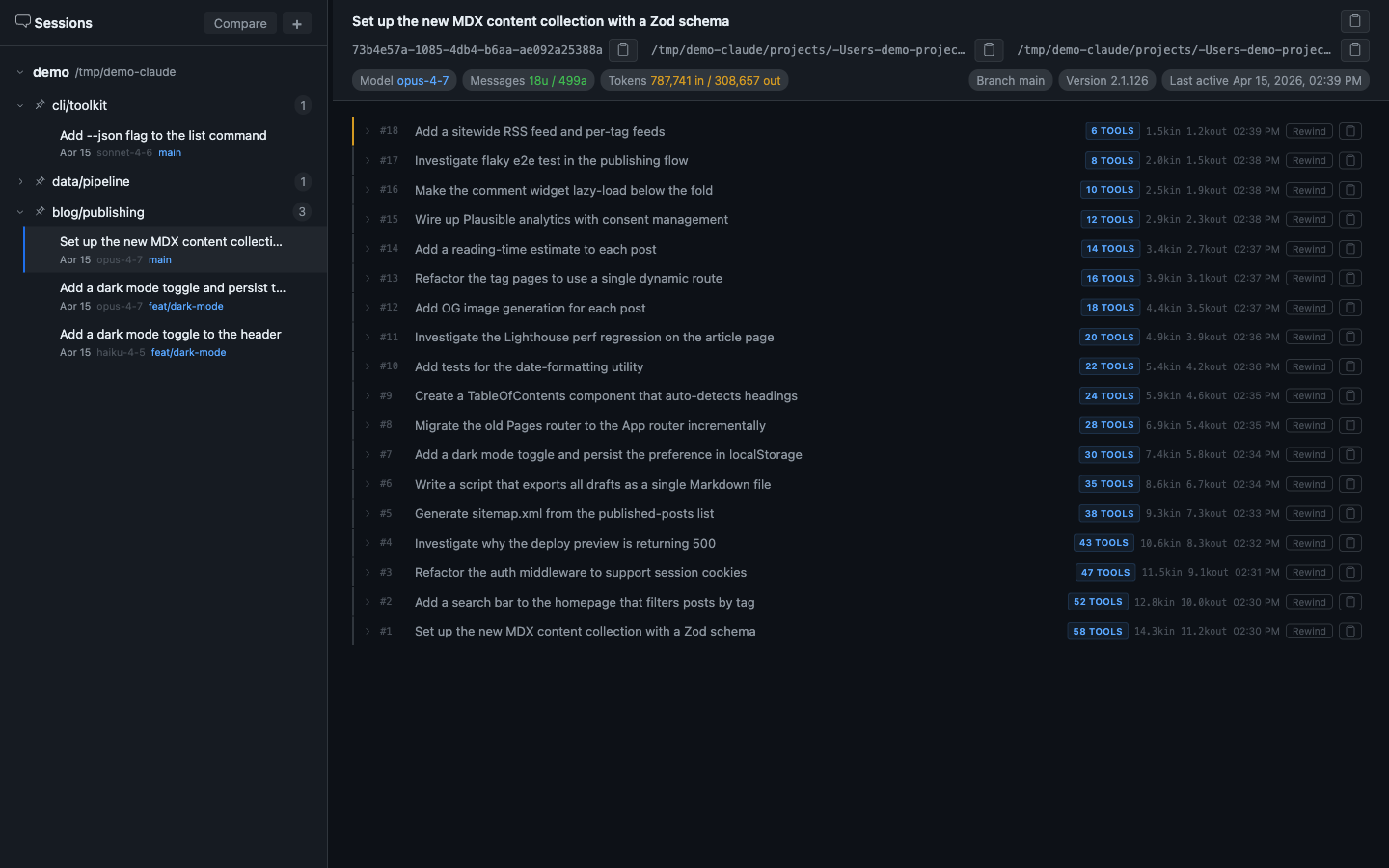
The project sidebar groups sessions by Claude project and shows metadata such as model, branch, token count, and last-active time. Pinning keeps frequently inspected projects at the top.
Inside a checkpoint, consecutive assistant tool-use messages collapse into one labeled group. Expanding it restores the order of reads, searches, shell commands, and edits without forcing every tool payload into the default view.
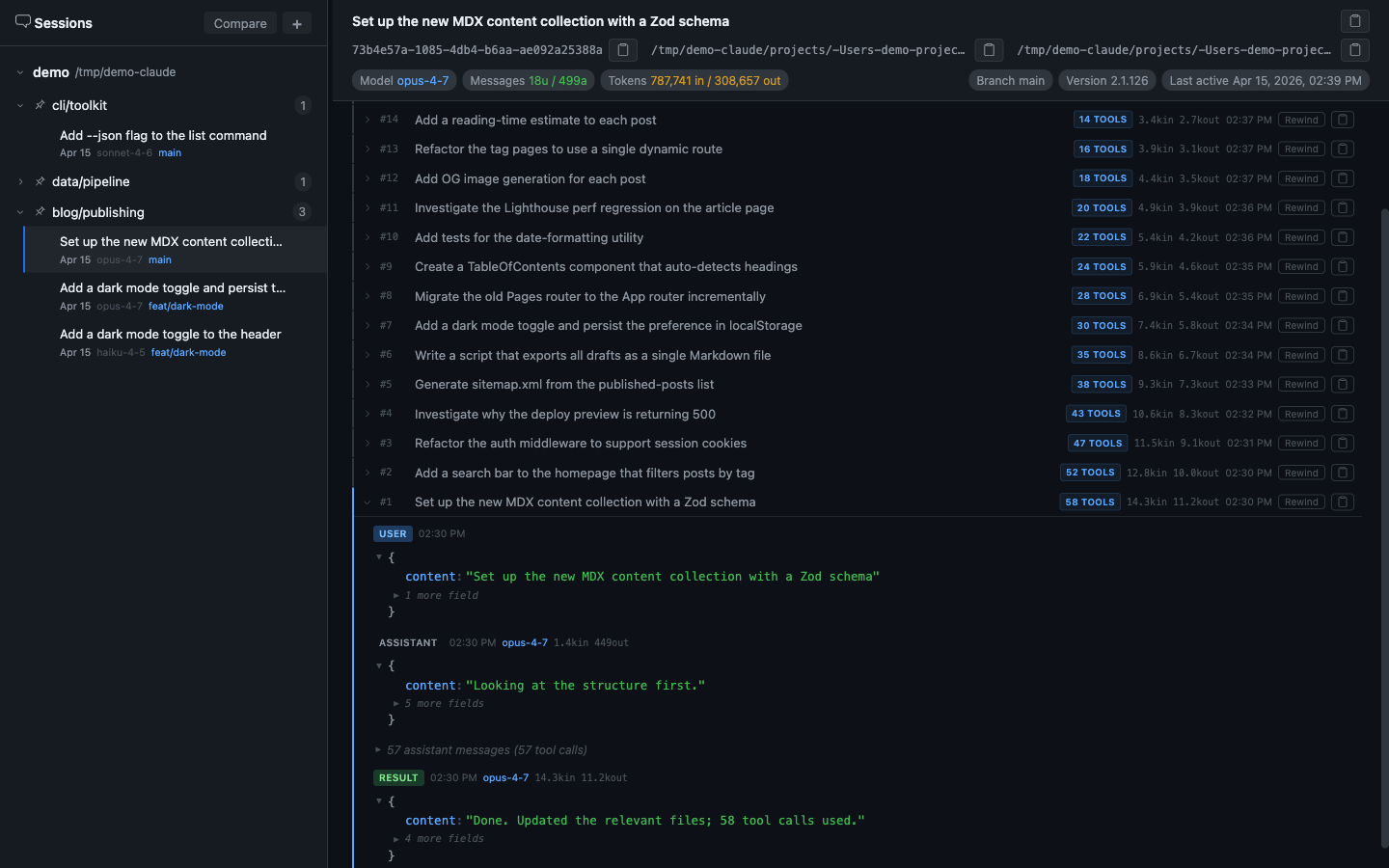
This hierarchy keeps the final response readable while retaining the evidence that produced it.
Compare sessions without flattening them
Compare mode places two sessions in independently scrollable columns. Each side retains its own model, message count, token total, branch, start time, and checkpoint list.
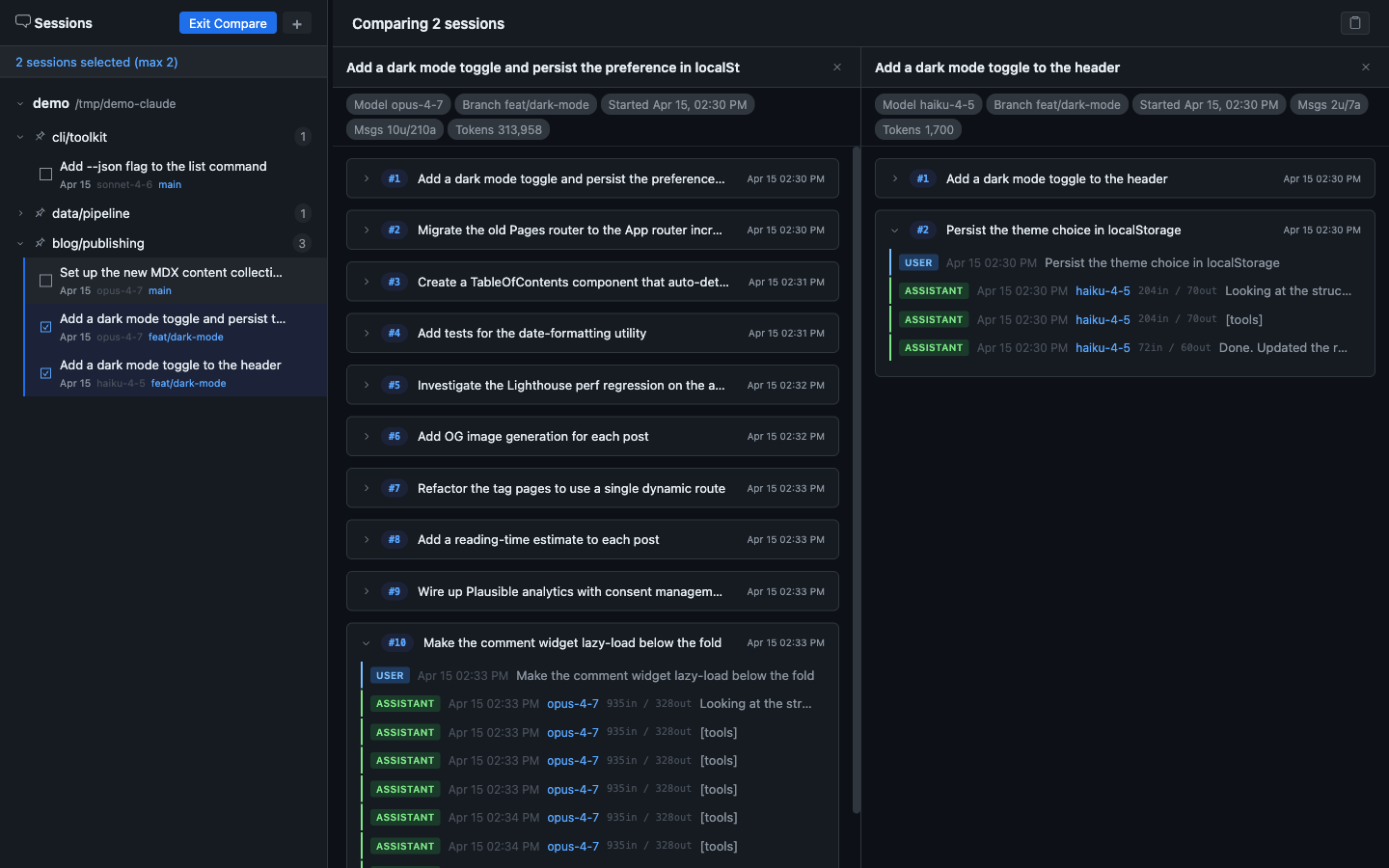
The comparison reveals where two attempts diverge. It does not decide that one model or prompting strategy is better; that conclusion still depends on task quality, result quality, and a repeatable evaluation.
Keep the session model intact
Flattening a session into alternating user and assistant text discards the structure needed for debugging. The viewer retains the layers separately.
| Layer | What it contains | Why it matters |
|---|---|---|
| User prompt | The requested task or question | Starts a checkpoint |
| Assistant content | Recorded thinking, text, and tool requests | Preserves the sequence within the turn |
| Tool result | File, search, shell, and edit output | Shows what the agent observed before continuing |
| Sub-agent activity | Delegated tasks recorded in the log | Exposes task decomposition |
| Token usage | Per-message and session totals | Locates expensive checkpoints |
| Session metadata | Model, branch, timestamps, and version | Keeps comparisons grounded in runtime context |
The same structure supports rewind, transcript copying, session renaming, project pinning, Markdown export, and side-by-side comparison. These are different operations over one session model rather than separate parsers.
Treat traces as evidence, not conclusions
The viewer makes repeated sequences visible across sessions, but observation alone does not establish a general law about coding agents. Counts such as read-to-write ratios, cache savings, or failure rates need a declared sample and a reproducible analysis.
Takeaways
The transcript is larger than the terminal summary
Checkpoint groups preserve recorded assistant messages, tool calls, token usage, and delegation behind each visible exchange.
A checkpoint is the useful unit of review
Grouping activity under each user prompt makes one turn inspectable without flattening the entire session.
Comparison needs the same structure on both sides
Independent checkpoint columns expose differences in model, tool use, token count, and result without merging two traces.
Trace evidence is not a benchmark
The viewer supports investigation and comparison. Broad claims about agent behavior still require a defined sample and measurement method.